THE AI SCIENCE LAB
ONE TOOL OR STRATEGY A MONTH
Turn AI Into Your Teaching Assistant, With a Teacher Who's Still in the Classroom.
A monthly membership for science teachers. Each month we focus on one tool or strategy based on what I use in my classroom and work together to make it work in yours.
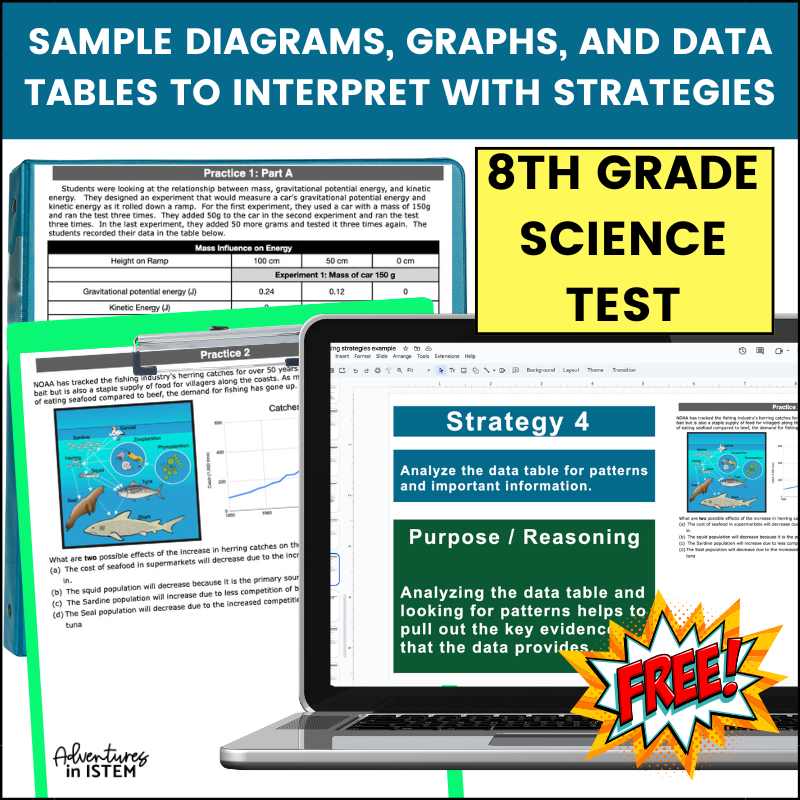
The right AI tool does the busy work for you. It helps you plan, differentiate for the students who are struggling, turn your class data into charts, and find another way to reach every kid in the room. You get your time back, and your students get more of you. The hard part is knowing which tool to use for which job, and that is exactly what we figure out together, one at a time.

Does this sound like your classroom?
- You know AI could save you time, but the trainings out there rush through all the bells and whistles of a platform, then leave you to figure out how to actually use it in your own classroom. It feels overwhelming.
- Perhaps you’re trying to keep up with all the AI tools that keep coming out. Trying to figure out which one to use, which one to stick with, and which one is best for what you need can feel daunting.
- Or maybe you’re figuring all of this out on your own, with no one to ask when you get stuck or confused.
- Maybe grading and planning are still eating your nights and weekends. You know AI could help. You just haven’t had the time to sit down and set it up.
- Or perhaps your students are already using AI for their homework and their thinking, and you’re not sure how to teach them to use it the right way. They’re going to use it either way. You just want to show them what it should be used for.
If you’re nodding along, you’re not behind and you’re not doing anything wrong. You’re just trying to keep up with something that changes every month, by yourself.
That is exactly why I built the AI Science Lab.
Imagine this instead
Now picture the year going a little differently.
01
You open an AI tool and you already know what you want from it. You’re not staring at a blank screen wondering where to start or which prompt to write.
02
You finish a training excited instead of overwhelmed, because you already know how you’re going to use it this week.
03
When something doesn’t work the way you expected, you don’t spend hours searching Google, YouTube, or Facebook for an answer. You have someone to ask who understands both AI and what it’s like to teach.
04
Planning and grading don’t follow you home every night. The repetitive parts are already taken care of, so you have more time for the parts of teaching you enjoy.
05
Your students are still using AI, but now you’re not worried about it. You’re showing them how to use it to think and learn instead of letting it do the work for them.
06
You hear about a new AI tool, but you don’t feel like you have to drop everything and learn it. You know which tools work for your classroom, and you’re confident sticking with them.
You don’t have to figure all of this out by yourself. That’s the whole point of the Lab. I’m still in the classroom doing this work, and every month we do it together.
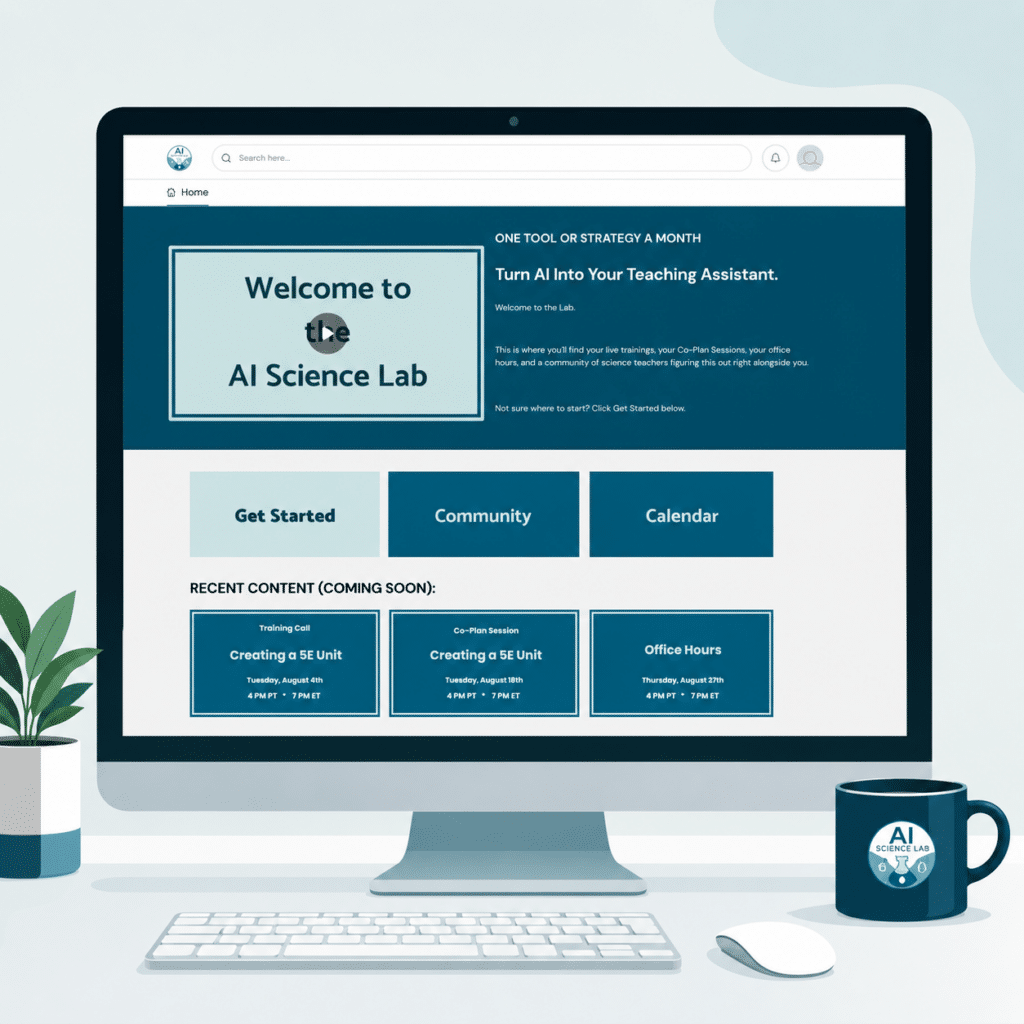
The AI Science Lab is a monthly membership for science teachers who want to turn AI into their teaching assistant. Each month we focus on one tool or strategy and work together to make it work in your classroom. You get a live training, a Co-Plan Session, and live office hours to get your questions answered. I am still in the classroom using these tools, so everything I show you is something I have used in my own class.
Here's what's inside
Live training and help every month:
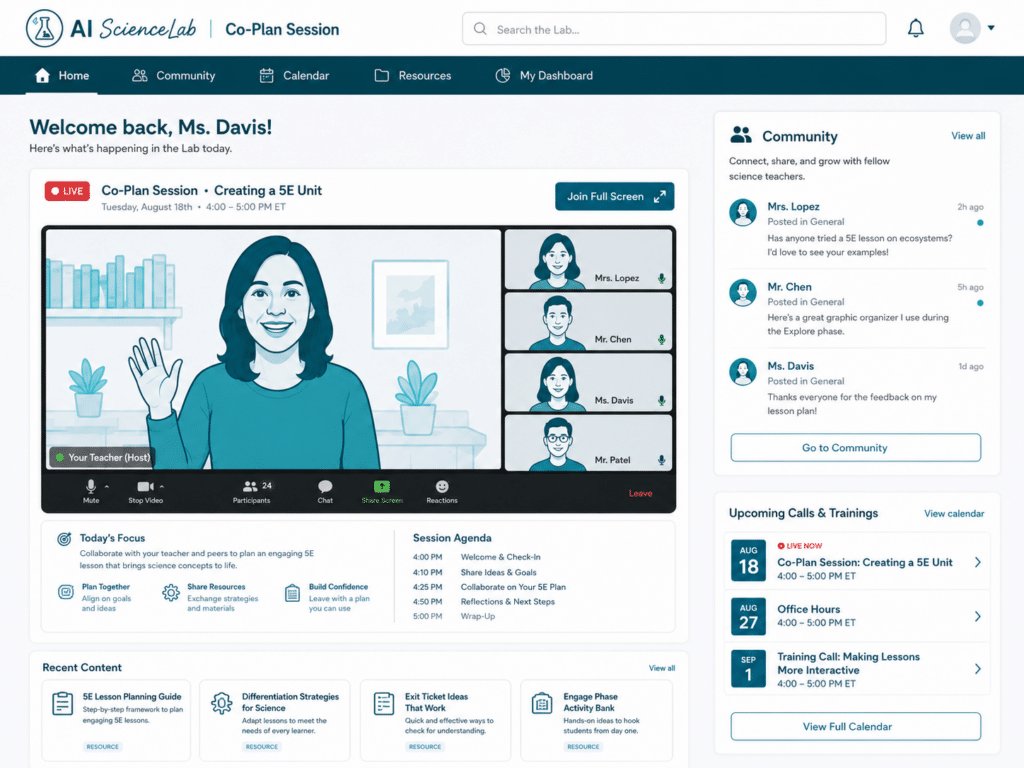
Every month, you’ll learn one tool or one strategy based on what I use, through a live demonstration where I walk you through the process from start to finish. Then we’ll meet again for a live Co-Plan Session where you’ll create your own version with my help, so it’s ready to use in your classroom. You’ll also have live office hours where you can bring your own questions, and we’ll work through them together.
A library of every session:
Every live training and every office-hours session is recorded and saved inside the Lab. It is all searchable, so when you need a topic, you can go back and find it. If you miss a live session, you have not missed it for good. It is there waiting for you.
People to ask when you get stuck:
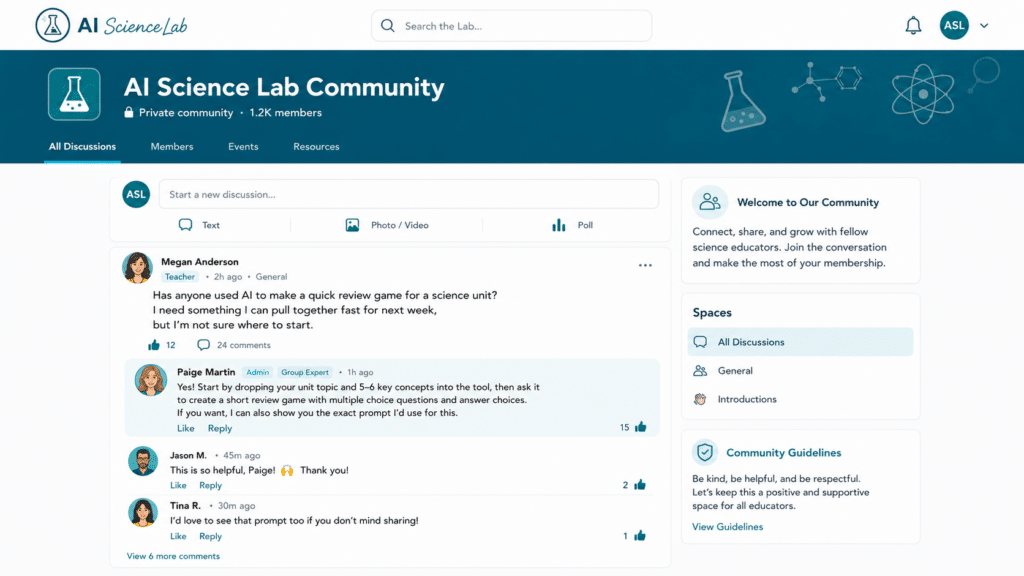
You are not doing this alone anymore. Inside the Lab is a community of science teachers working through the same things you are. And you have me. When something does not work, or you are not sure where to start, you have somewhere to bring it instead of searching Google for an hour. That checking in, having an answer when you are stuck, is the part teachers tell me matters the most.
Start Here: the minute you join
Before the monthly content begins, you start with the Start Here trainings and get set up with the basics, so you already have a few things working for you from day one.
This Membership Includes
- Live every month: a 20-minute AI training, a 30 to 45-minute co-plan session, and 60 minutes of Q&A office hours.
- A searchable library of every training and office-hours session inside the membership, so you can find the exact moment a topic comes up.
- Start Here trainings to set up your first AI projects, plus a yearly calendar build and a behavior documentation template.
- A community of science teachers figuring this out together, learning one tool or strategy a month that follows the school year, not a random tool of the month.
So what will we actually work on?
Here is the part that makes the Lab different. With all the AI tools out there, the hard part is not the tools. It is knowing which one to use, for what, and when. So every month, I tell you which tool to use for one job, and show you exactly how. For example:
- Which tool turns your videos and readings into podcasts, so your students get another way to learn the material.
- Which tools differentiate your lessons for the students who are struggling, and help you see why they are struggling.
- Which tools are best for planning a unit, a lab, or an activity.
- Which tools build your slide deck presentations for you.
- Which tools are safe to put in front of students, and how to teach them to use AI the right way.
- Which tool holds your whole back-to-school in one place: a project for your teaching style, behavior logs, sub plans, seating charts, and parent letters.
- Which tool reads your class data with you and turns it into charts you can actually act on.
- And when you need it, how to build or modify a CER, a lab report, or a test-taking strategy.
One tool or one strategy at a time, so you are never overwhelmed, and you always walk away knowing exactly what to do next.
Here's how a month in the Lab works
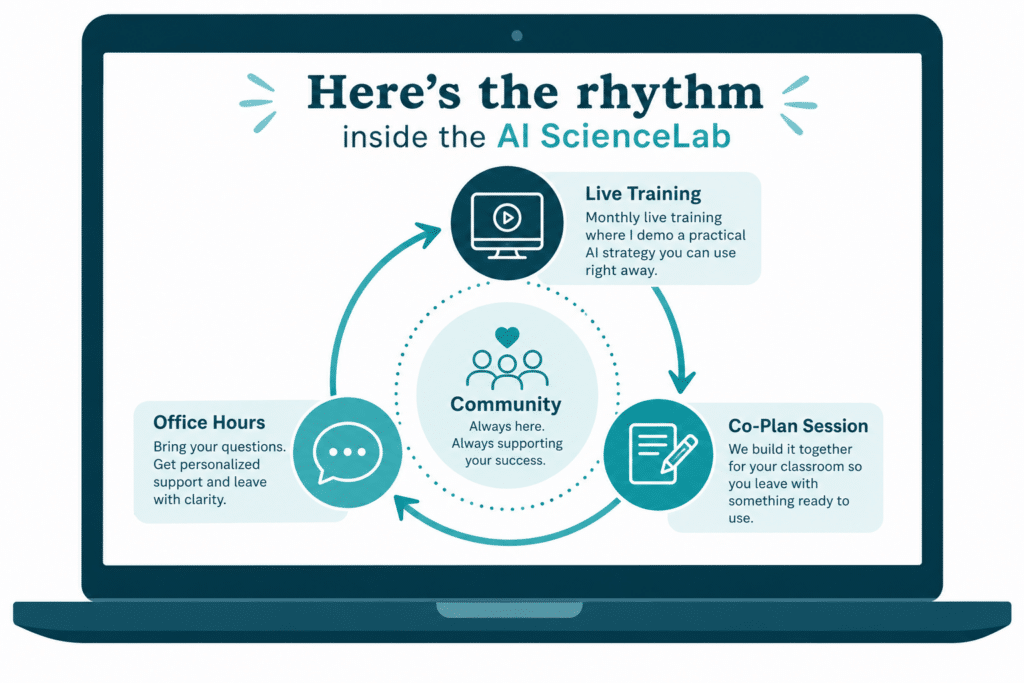
Everything runs on a simple monthly rhythm, so you always know what’s coming and you can plan around it.
When you join
You start with the Start Here trainings and get set up with the basics, so you already have a few things working for you before your first live session.
The live training
Once a month I show you one tool or one strategy, start to finish. It’s short and to the point, so you can watch it and know exactly what to do next.
The Co-Plan Session
Later in the month we meet again and you build your own version with my help. You leave with something ready to use in your classroom.
Office hours
Every month there is a live Q&A where you bring whatever you’re stuck on. It can be from that month’s topic or something else going on in your room. This is your time to ask.
In between
The community and the full library are there any time. If you miss a live session, the recording is waiting for you. And when a question comes up on a random Tuesday, you can post it in the community and get an answer.
You don’t have to be at everything live to make it worth it. Come to what you can, watch the rest when it fits, and lean on the community when you need a hand. The Lab is built to work around your schedule, not pile on top of it.
Turn AI Into Your Teaching Assistant
AI SCIENCE LAB
Choose your plan
MONTHLY & YEARLY PLANS INCLUDED
ZERO RISK
30-Day Money-Back Guarantee
Join the AI Science Lab and give it a full 30 days. If it is not the right fit for your classroom, for any reason, just let me know and I will refund you in full. No hoops, no hassle, no hard feelings.
NO STRINGS ATTACHED
Cancel in two clicks. Anytime.
I never want you to feel stuck. You can cancel anytime right from your account. No emails, no conversations, no waiting. You click, and the rest is handled.
Go to your account → Click cancel → ✓ Done
Hi, I'm Kristi
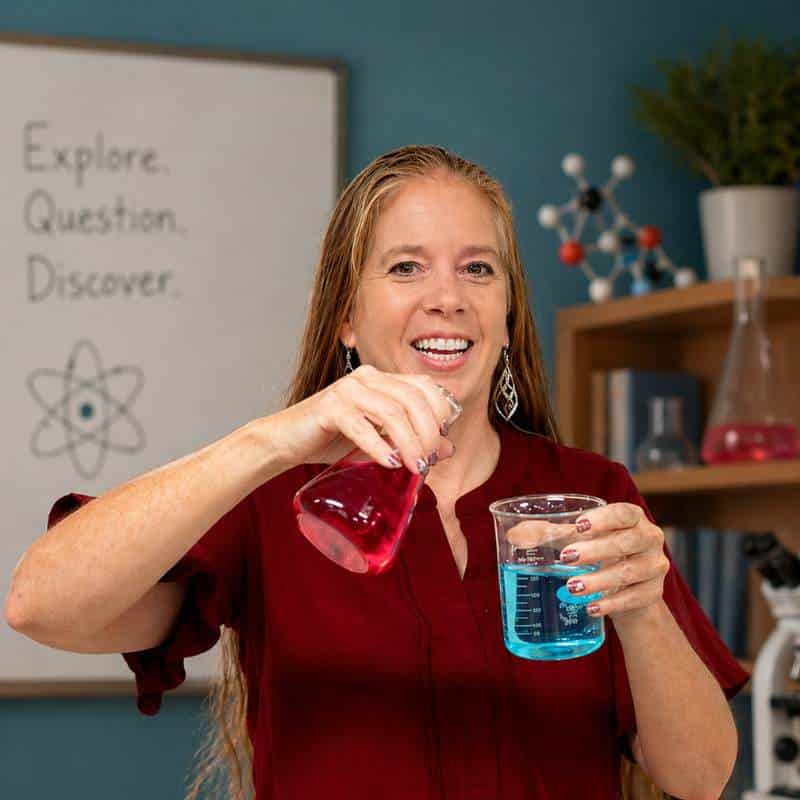
I’m a middle school science teacher with over 27 years of experience, teaching in a Title I school where more than half of my students are English language learners, gifted learners, and everything in between.
For years I spent my evenings planning for all of them, then modifying it again for the students who needed something different, and repeating the same feedback over and over. It was exhausting. When I started using AI as my teaching assistant, that changed. It took care of the time-consuming tasks that were overwhelming me, so I could spend my time on my students.
I’m still in the classroom, so everything I bring you in the Lab is something I have used with my own students.
“I love the fact that you are still in the classroom. We can commiserate and have real experience with each other on what works and what does not.”
— A science teacher I coached last year
“I love that I can still get back to it. What is here is still there, that I can rewatch and go back and forth and use.”
— A science teacher I coached last year
Got questions? I've got your answers!
Is the Lab live, or can I do it at my own pace?
Both. Every month there are live sessions, a training, a Co-Plan Session, and office hours, and every one is recorded and saved in a searchable library. Come live when you can, and watch the rest when it fits your schedule.
How much time does this take each month?
Not much. The monthly training is short and to the point. Come to the live sessions you can make, and watch the rest on your own time. The Lab is built to work around your schedule, not pile on top of it.
Do I need to know anything about AI to start?
No. You start with the Start Here trainings, and we take one thing at a time, together. I walk you through everything step by step, including the free tools I use, so you do not need any experience to begin.
I've tried AI before and it took longer than just doing it myself. Will this be different?
That is the exact reason I built the Lab. Everything I show you is something I have already tested with my own students until it worked. You are not guessing what to type or which tool to use. You are copying what already works, then building your version with my help.
How do I keep my students from just using AI to cheat?
This is the question I hear the most, and it is exactly the kind of thing we work on in the Lab. Your students already have AI, so the goal is not to keep it away from them. It is to show them how to use it to think, instead of letting it do the thinking for them. I show you which tools are safe to put in front of students, how to set them up with guardrails, and how to teach them to use AI the right way, so it becomes a learning tool in your classroom instead of a shortcut around the learning.
What grade levels is this for?
I teach middle school science, so most of my examples come from there. The AI tools and the approach work across science, roughly from elementary through high school. You take what I show you and build your own version for your classroom.
Will this work with my curriculum?
Yes. The whole point of the Lab is to use what you already teach. You do not need to buy new resources or change your curriculum. You learn faster ways to plan, differentiate, and reach your students with the materials you already have.
What if I try it and it's not a good fit?
Try the Lab for a full 30 days. Come to a session, use what you build, and see how it feels in your classroom. If it is not the right fit, just email me and I will refund you. No questions.
How long will I have access?
As long as you are a member, you have access to everything, the live sessions, the full recorded library, and the community. Every training and office-hours session is saved and searchable, so you can always go back and find what you need.
Can I share this with my teaching team?
A membership is set up for one teacher, so each person needs their own. But I would love to have your whole team. If you want to bring your department or your school, I accept POs and offer bulk discounts for groups of 5 or more.
Is the AI Science Lab the same as the CER Academy?
No, they are two different things. The CER Academy is my course that teaches the strategy for helping students master CER in your classroom. The AI Science Lab is an ongoing membership where you learn to use AI as your teaching assistant for the whole job of teaching science, from planning and differentiating to data, engagement, and back-to-school setup. If you are a CER Academy member, the Lab is also where you come for ongoing support. But you do not need the Academy, or CER, to belong. The Lab stands on its own.
Purchasing for a school or district? I accept POs and provide bulk-license discounts for groups of 5+. Click the contact button below to email me for details.
Turn AI Into Your Teaching Assistant
AI SCIENCE LAB
Choose your plan
MONTHLY & YEARLY PLANS INCLUDED
ZERO RISK
30-Day Money-Back Guarantee
Join the AI Science Lab and give it a full 30 days. If it is not the right fit for your classroom, for any reason, just let me know and I will refund you in full. No hoops, no hassle, no hard feelings.
NO STRINGS ATTACHED
Cancel in two clicks. Anytime.
I never want you to feel stuck. You can cancel anytime right from your account. No emails, no conversations, no waiting. You click, and the rest is handled.
Go to your account → Click cancel → ✓ Done